Assigning Group Admin Permissions

1. The Roster is an admin feature only. There are two routes the admin can take to access the Roster.
- Click Roster under the Club Play tab on the TrackitHub dashboard
- Click Roster on the desired group card
2. Place a checkmark next to the member's name.
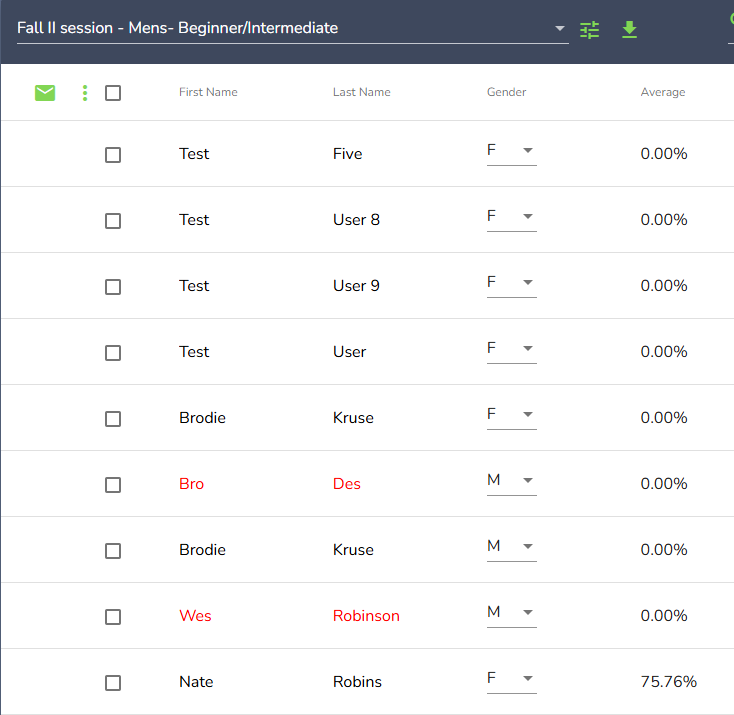
3. Select the vertical menu, which is located to the right of the email icon
4. Click, Assign Group Admin
5. The names of the group admins are highlighted in red.
6. Now, when the new group admin logs into their account, they will find a toggle button on the "my groups" panel.
7. Once the toggle has been selected, the appearance of the group cards will change, and the admin tools become available.
- The vertical menu represented by three dots provides the new group admin with more admin tools.
Comments
0 comments
Please sign in to leave a comment.