(Log in to your current player account or Sign Up for a new account)
1. Select the arrow next to your avatar, click Create New profile, and select Player.
2. Feel free to use the same email address that is associated with the primary account. A unique email address can also be used. The primary account holder and the additional player profile will both ALWAYS use the primary account holder's email address and password to log in.
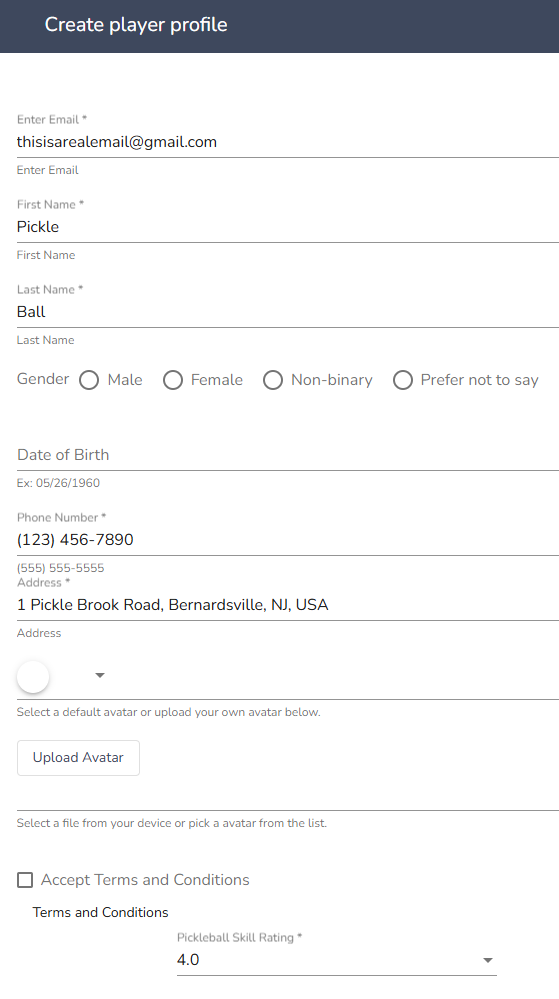
3. Enter your contact information. Make sure to fill out each field.
As you enter your address, select the correct address from the google drop-down list. If you do not select an address, you will not be able to finish the registration form.
You can select a default avatar option or upload your own profile picture.

Comments
0 comments
Please sign in to leave a comment.