Event Reminder Settings

This article contains information regarding the invitation settings for TrackitHub events.
To access the settings, log in to your account and click on your desired event
Next, click Edit Event, then click Event Reminders.
- This is the Invite Settings page.
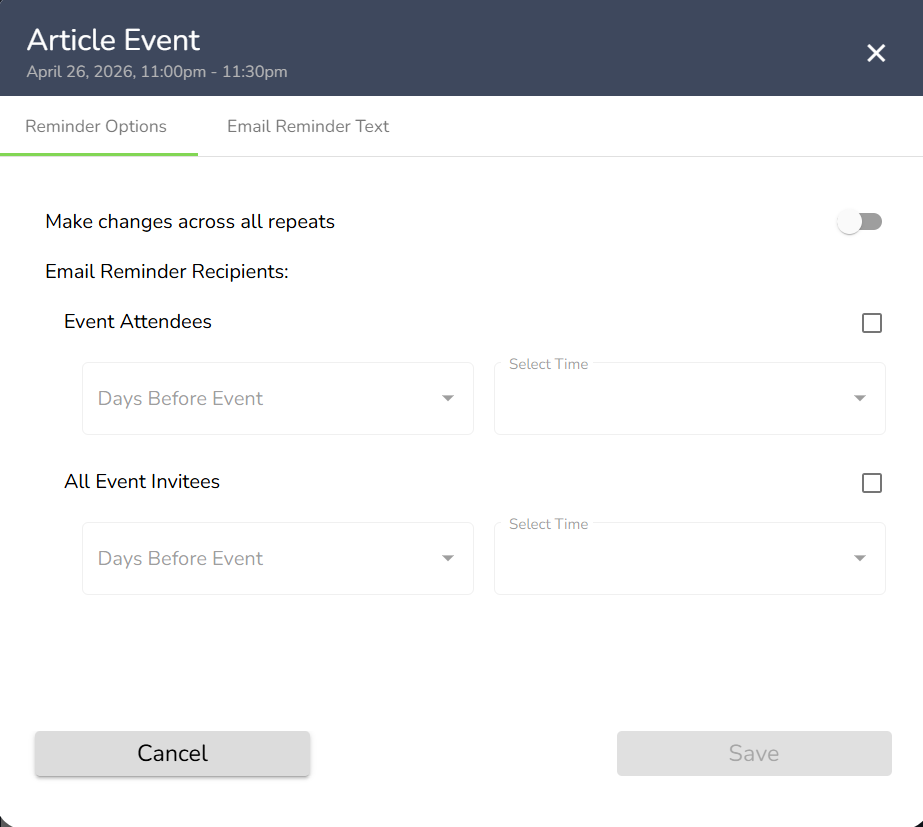
- To have the changes you make affect all of your events, click on the toggle for Make changes across all repeats.
- Next, you can modify the settings for sending invites. You can have invites go out to members who have signed up for the event and/or all members who have been invited to the event. To select this option click on the box so a green check mark appears, then select when you would like the invitations to be sent out.
- To edit the text for the reminder email, click Email Reminder Text and you will be able to modify the email.
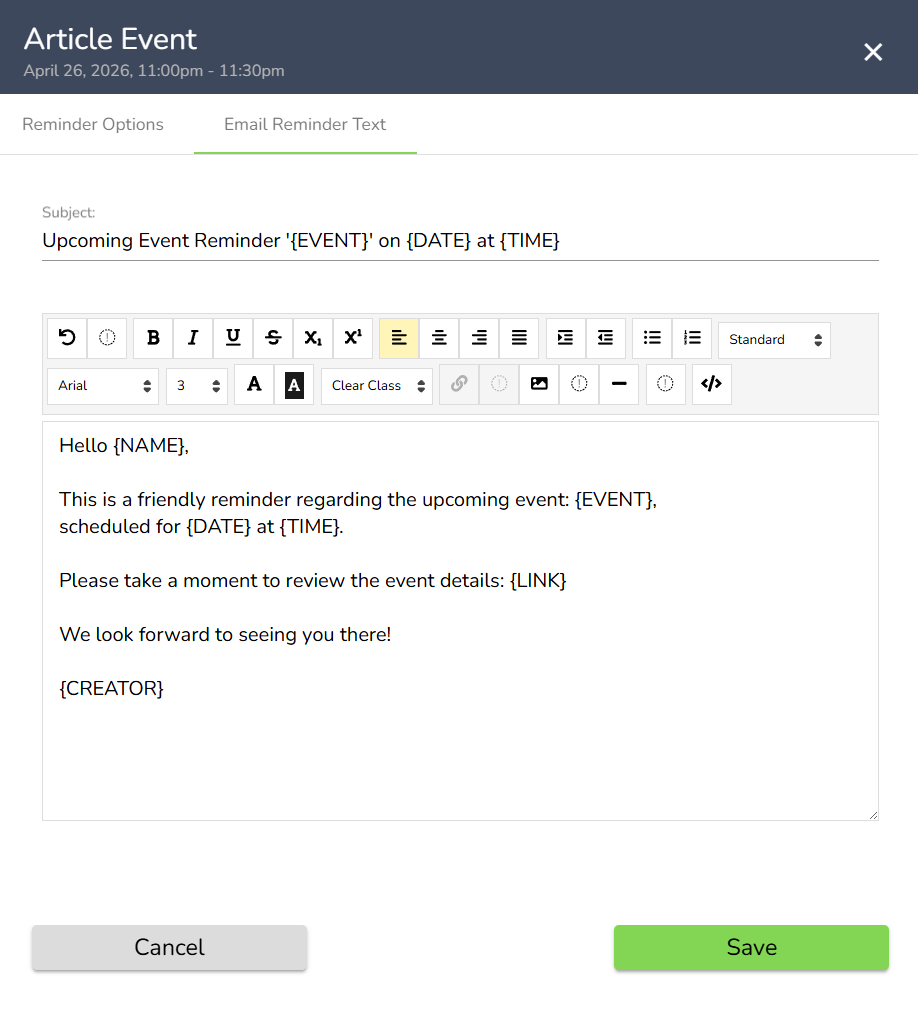
Once you are done making your changes, click Save on either tab and the changes to your event will be saved.
Comments
0 comments
Article is closed for comments.