My Groups

This article contains instructions on how to access the My Groups panel, how to manage your groups, as well as the Recommended Groups tab.
- From the TrackitHub dashboard, on the left side of the screen, click My Groups in the Club Play tab.
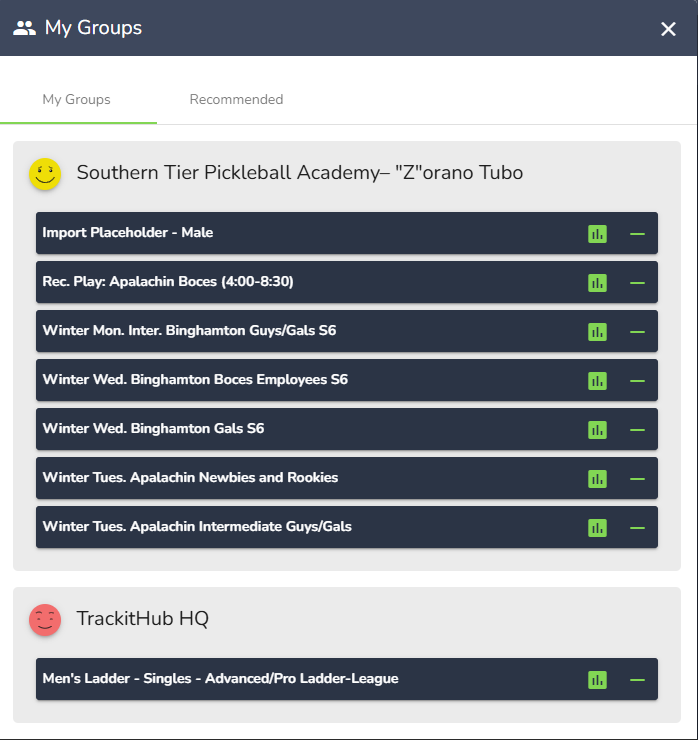
2. There are 2 tabs within the My Groups panel, My Groups and Recommended. My Groups shows a list of the groups that you are currently a member of. The groups you are a member of are organized alphabetically by club.
- To leave a group, click on the minus (-) sign at the right of the group tab
- To open the standings menu, click on the bar graph icon to open the Standings menu for that group
- For more information on the Standings menu, click here to read the article on the Standings menu.
- https://trackithub.zendesk.com/hc/en-us/articles/360057637134-View-Standings
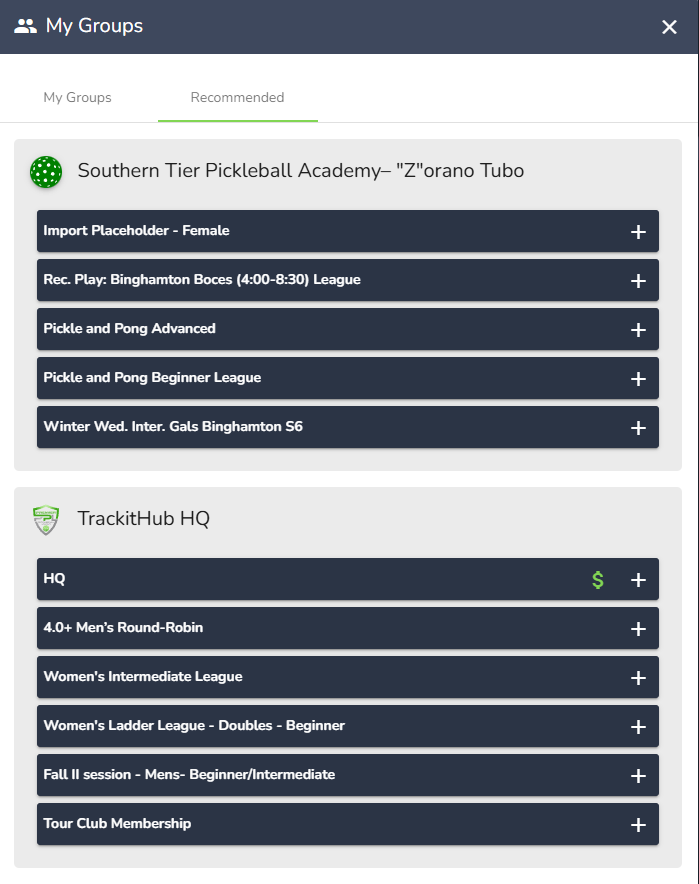
3. Clicking on Recommended will open the Recommended Groups tab, this tab has a list of your clubs' other groups that you are not a member of. Certain groups have a membership cost, click on the dollar sign ($) to fill out the form and pay.
- To join one of the recommended groups, click on the plus sign (+) and your membership request will be submitted.
Comments
0 comments
Please sign in to leave a comment.